

Features
Everything between a test run and a software release
TestLookup is free, open-source test intelligence for software teams, and it runs on your own servers. It collects the results of your automated software tests, explains why tests fail, spots flaky tests, and helps you decide whether a release is ready to ship. Each of the 12 areas below has its own page, with screenshots.
Get results in
Send results from any test framework or continuous integration (CI) system, and send the answers back to your build pipeline.
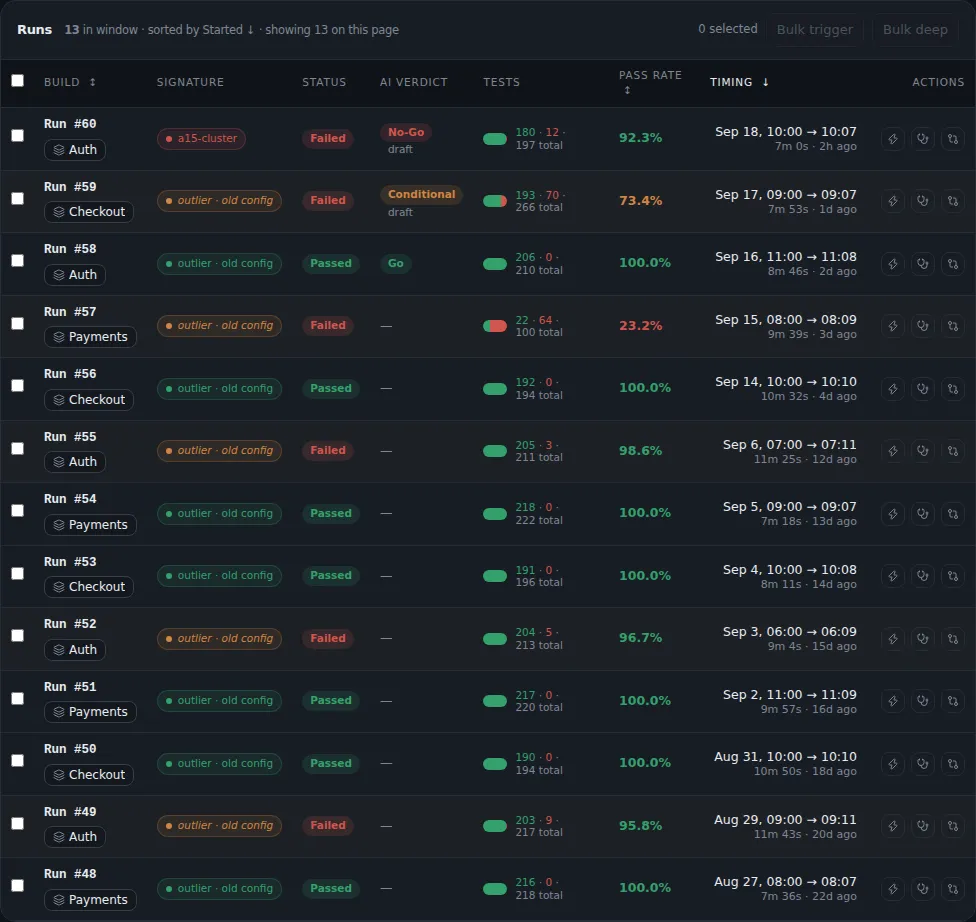
Collect results
Read 11 test report formats, receive live results while tests run, and keep the CI details of every run.
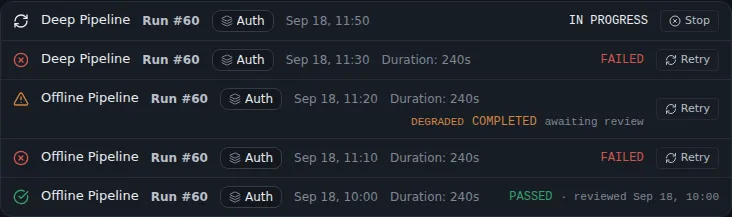
CI pipelines and automation
Each run links back to its CI job and pull request, in five CI systems. TestLookup finds the build where a test first failed, and automatic actions wait for a person's approval. If TestLookup can't answer, your build fails instead of passing by mistake.
Integrations
Connect GitHub, GitLab, Jira, Slack and Microsoft Teams, or your own systems through webhooks. Use the command-line tool, code libraries for your test runners, or an MCP server for AI assistants.
Understand every failure
Rules, a model trained on your team's labels and an optional AI model work together. People make the final decisions.
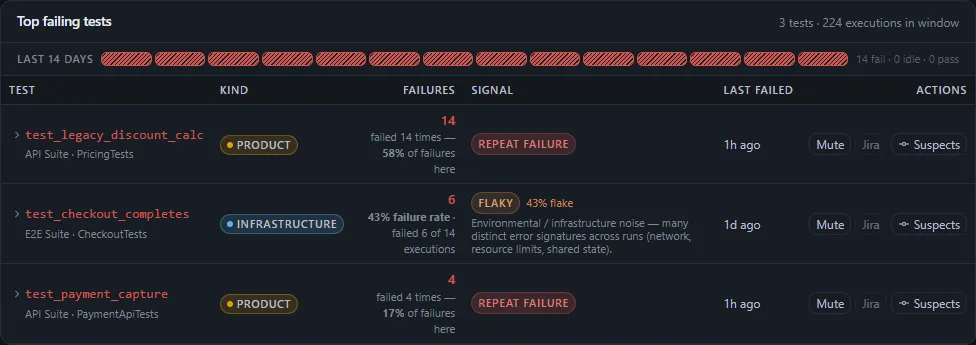
Failure analysis
See failures grouped by cause and sorted by kind, and check how each answer was reached. Keep flaky tests, the ones that pass and fail at random, under control.
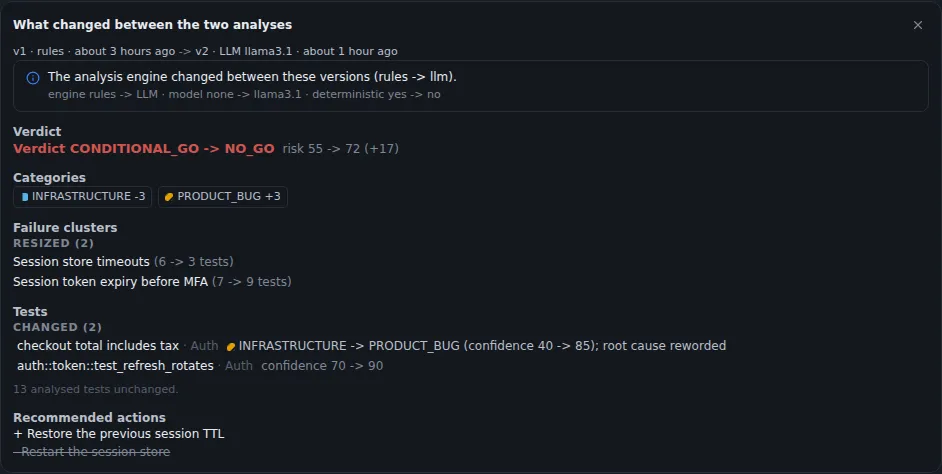
AI you control
Use a local or hosted AI model, and pay for a larger model only when it's needed. Search your own data on your own network, and check every AI answer.
AI agents
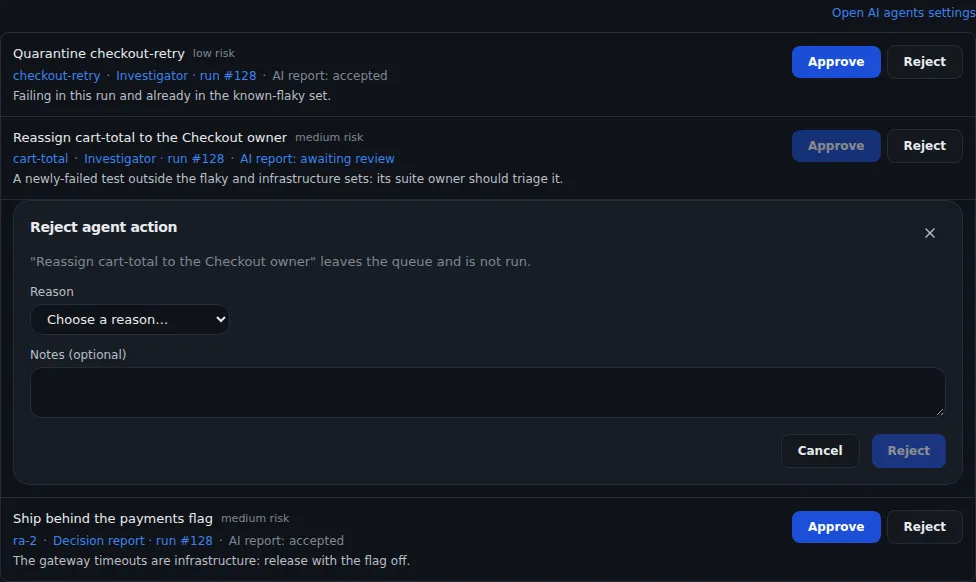
Automated helpers analyze every run, and the Investigator proposes actions. Three trust levels decide what a helper may do, and people approve its actions.
Decide and ship
Plan software releases, follow the trends, and keep test cases next to the results that prove them.
Release management
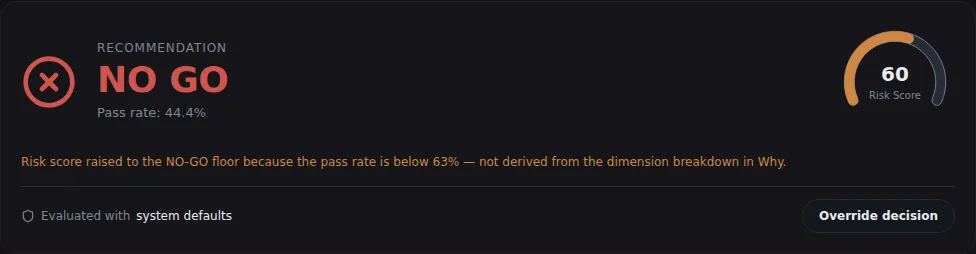
Plan releases in phases on a calendar. Each release gets a GO or NO-GO verdict with its evidence, or Not evaluated when too few tests have results. Every override needs a written reason.
Dashboards and reports
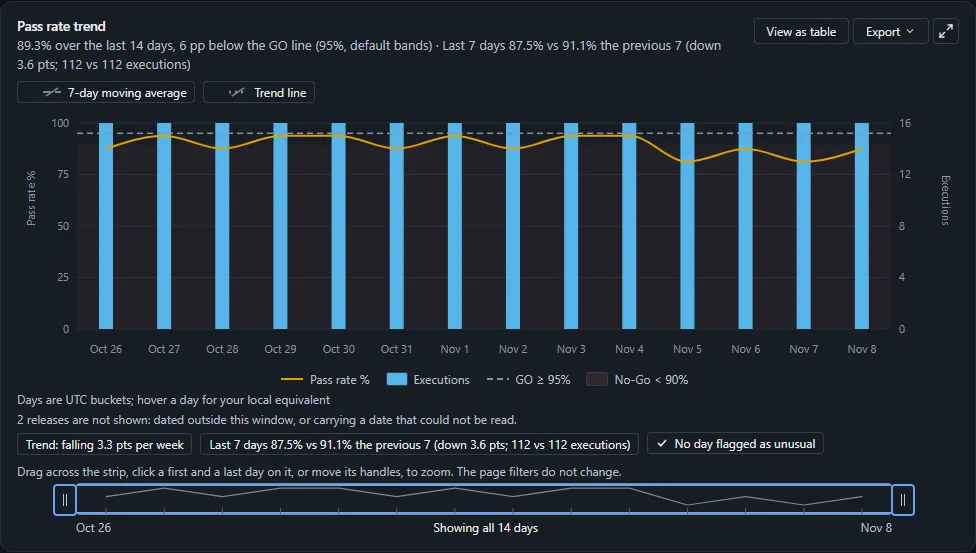
Follow pass rate against your target, explore any measure, get insights on what changed, and export summary reports.
Test management
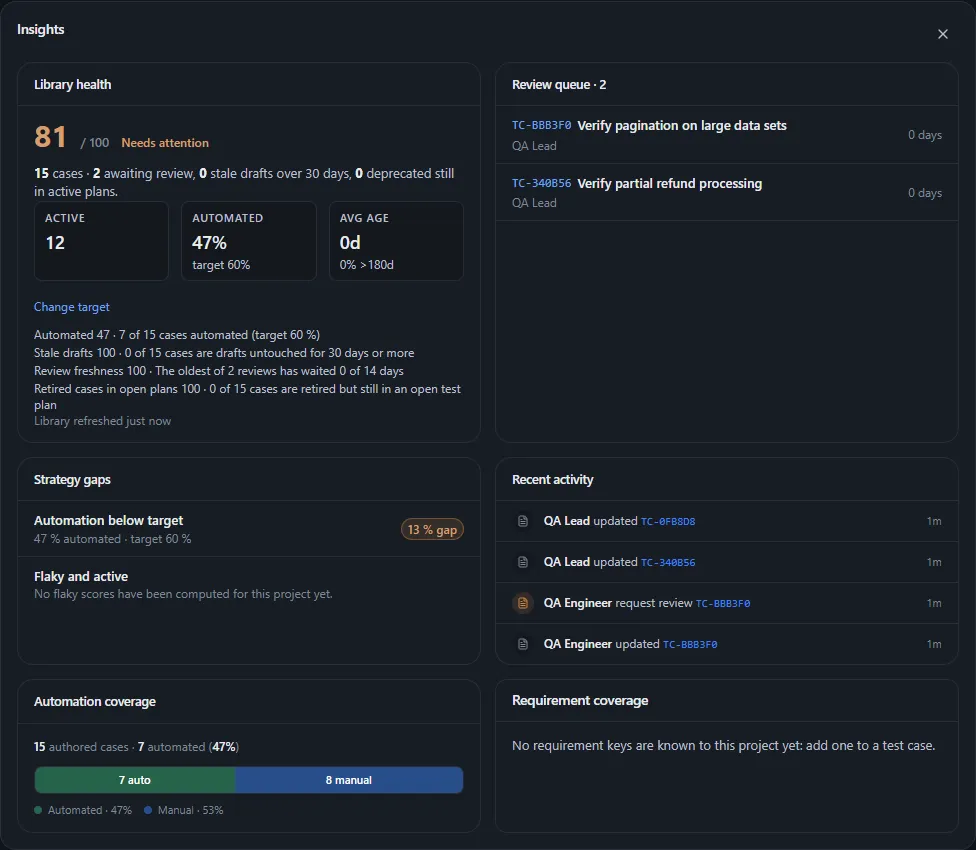
Keep test cases, suites and plans beside the test results that prove them, and see the health of your test library.
Teams, control and hosting
Send work to the right people, prove who did what, and run TestLookup on servers you control.
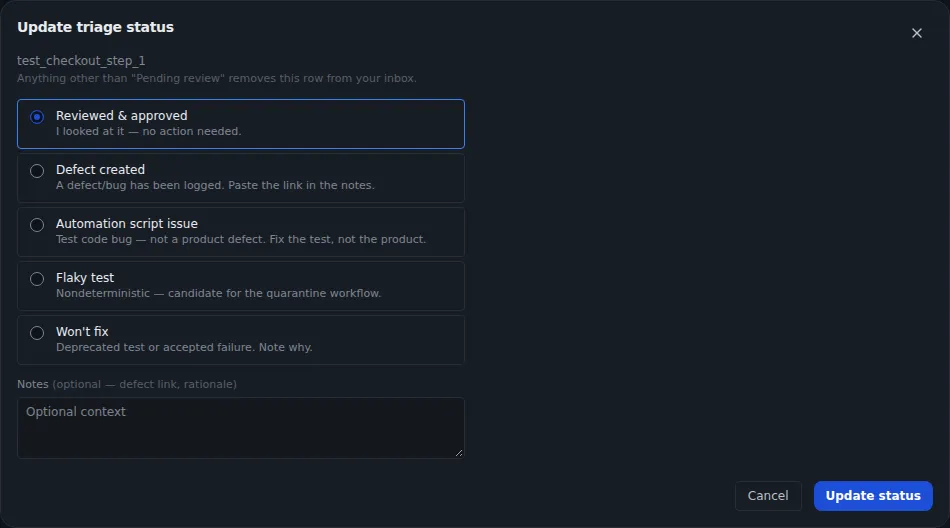
Ownership and collaboration
Each failure goes to its owner, and each person gets an inbox to work through. See each test's history run by run, and handle approvals in one list.
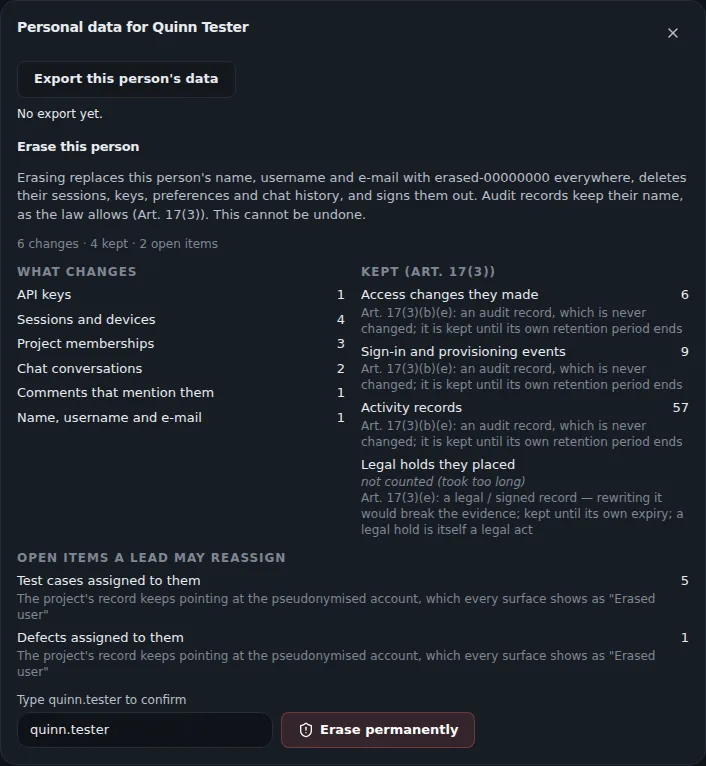
Governance and audit
Keep an activity log of every change. Use roles, single sign-on, holds on data deletion, personal-data requests and signed evidence for auditors.
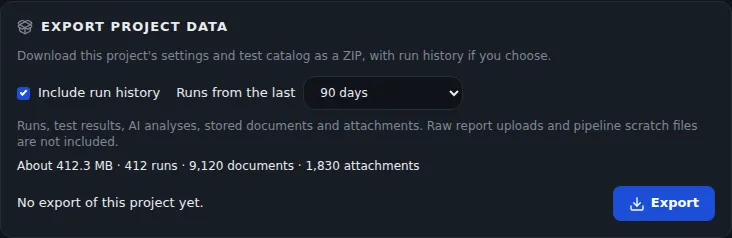
Self-hosted and secure
Run it on your own servers, offline by default. You get single sign-on, two-step sign-in, holds on data deletion and signed exports.
Also included
Details that make day-to-day work smoother.
Live view
Watch results and pass rate update while your tests run, next to a feed of analysis events.
All Projects
Administrators, and anyone in 2 or more projects, can see combined dashboards and trends. They also see value metrics: the estimated engineer-hours saved.
Ask AI
Ask questions about a project's test results in plain language, once an AI model is set up.
Search
Search by keyword, by meaning, or both. Save your searches and find similar failures.
Reports and sharing
Export PDF and spreadsheet reports, share links that expire, and schedule summaries by email or chat.
Expected runs
Find out when a nightly or CI run doesn't arrive. TestLookup only watches for it and changes nothing in your CI.
See it with your own results
Start TestLookup on your own computer with sample data in one command, then send it your own test reports.